Door & Lock - Back Door Lock
Exploded View
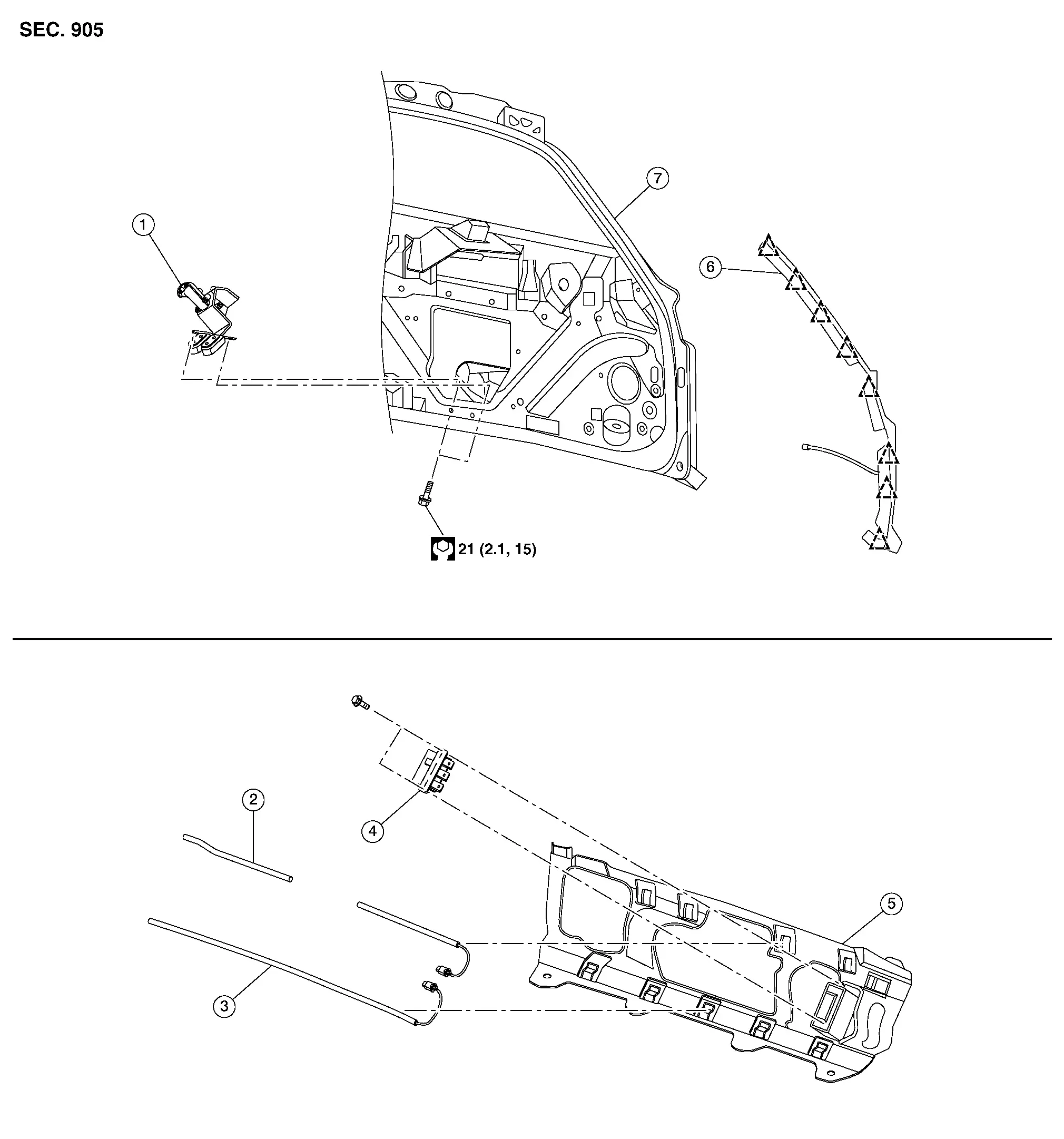
| 1. | Back door lock assembly | 2. | Hands free sensor [(upper side) (if so equipped)] | 3. | Hands free sensor [(lower side) (if so equipped)] |
| 4. | Hands free sensor control unit (if so equipped) | 5. | Rear bumper stiffener | 6. | Touch sensor (if so equipped) |
| 7. | Back door |  |
: Clip |
- Back Door Lock
- Touch Sensor
- Hands Free Sensor
- Hands Free Sensor Control Unit
Back Door Lock Nissan Pathfinder
Removal and Installation
REMOVAL
Remove back door lower finisher. Refer to Removal and Installation.
Disconnect harness connector from back door lock assembly.
Remove back door lock assembly bolts and remove back door lock assembly.
INSTALLATION
Installation is in the reverse order of removal.
Touch Sensor Nissan Pathfinder R53
Removal and Installation
REMOVAL
Using a suitable tool, release touch sensor clips. Refer to Exploded View.
Disconnect the harness connector from the touch sensor.
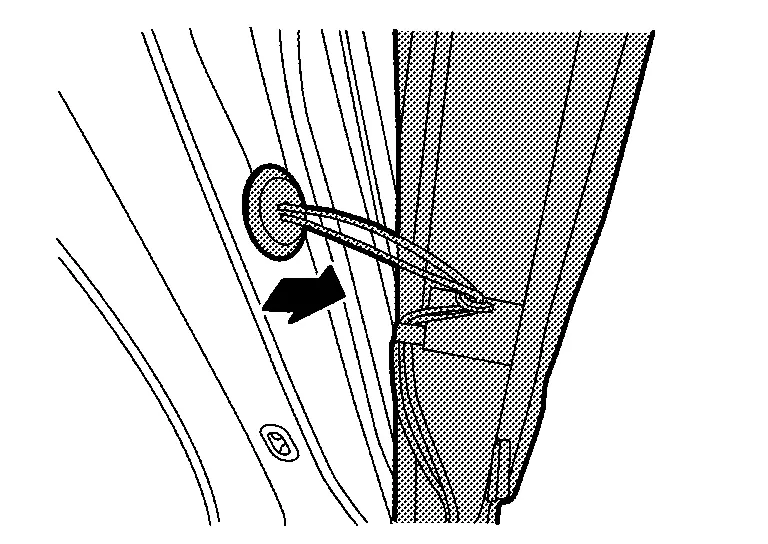
Remove grommet and touch sensor harness from back door as shown and remove touch sensor.
INSTALLATION
Installation is in the reverse order of removal.
Hands Free Sensor Nissan Pathfinder
Removal and Installation
REMOVAL
Remove rear bumper fascia. Refer to Removal and Installation.
Disconnect the harness connectors from hands free sensor.
Remove hands free sensor upper and lower from rear bumper bracket.
INSTALLATION
Installation is in the reverse order of removal.
Hands Free Sensor Control Unit Nissan Pathfinder R53
Removal and Installation
REMOVAL
Remove rear bumper fascia. Refer to Removal and Installation.
Disconnect the harness connectors from hands free sensor.
Remove hands free sensor upper and lower from rear bumper bracket.
Remove hands free sensor control unit bolts, and then remove hands free sensor control unit.
INSTALLATION
Installation is in the reverse order of removal.