Removal and Installation. Vcm
In this manual: Removal and Installation. Vcm
~1min read
VCM : Exploded View
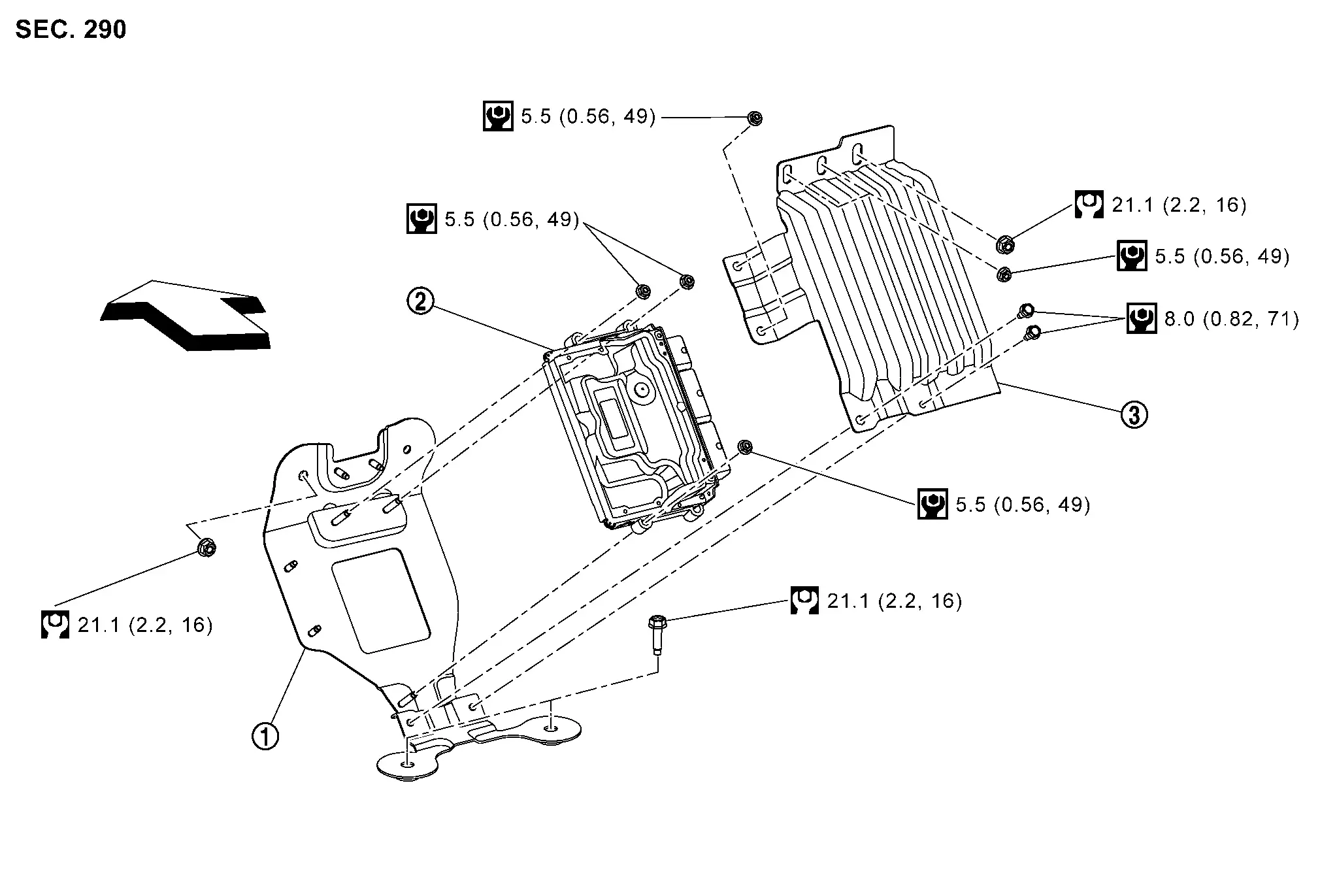
 |
VCM bracket |  |
VCM |  |
VCM cover |
 |
Nissan Ariya Vehicle front | ||||
 |
:N·m(kg-m、ft-lb) | ||||
 |
:N·m(kg-m、in-lb) |
VCM : Removal & Installation
Removal
Turn power switch OFF.
Disconnect 12V battery negative terminal. Refer to PRECAUTIONS FOR REMOVING BATTERY TERMINAL : Precautions(66kWh LI-ION BATTERY), PRECAUTIONS FOR REMOVING BATTERY TERMINAL : Precautions(91kWh LI-ION BATTERY).
Remove instrument lower cover center. Refer to Removal & Installation.
Turn over right front part of floor carpet and remove front floor spacer RH. Refer to Exploded View.
Remove mounting nuts and move CPLC to a suitable place for removed parts.
Remove mounting bolts and nuts from the VCM cover.
Remove the VCM cover
Disconnect VCM harness connector. Refer to Harness Connector.
Remove VCM mounting nuts.
Remove VCM.
Remove VCM bracket mounting nuts.
Remove VCM bracket.
INSTALLATION
Install in the reverse order of removal.
Was this page helpful?