Removal and Installation
In this manual: Removal and Installation
~1min read
- Wireless Charger Unit
- Wireless Charger Indicator
Wireless Charger Unit Nissan Ariya 2023
Removal and Installation
REMOVAL
Open the console lid  .

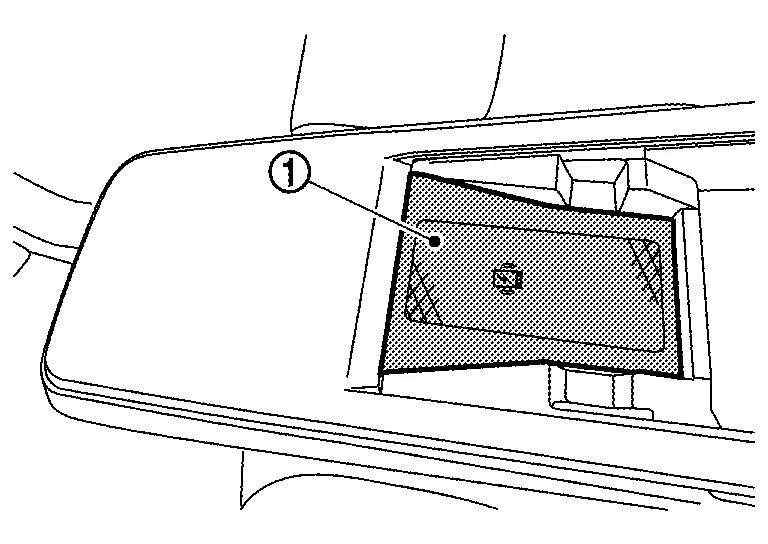
Remove console tray mat .
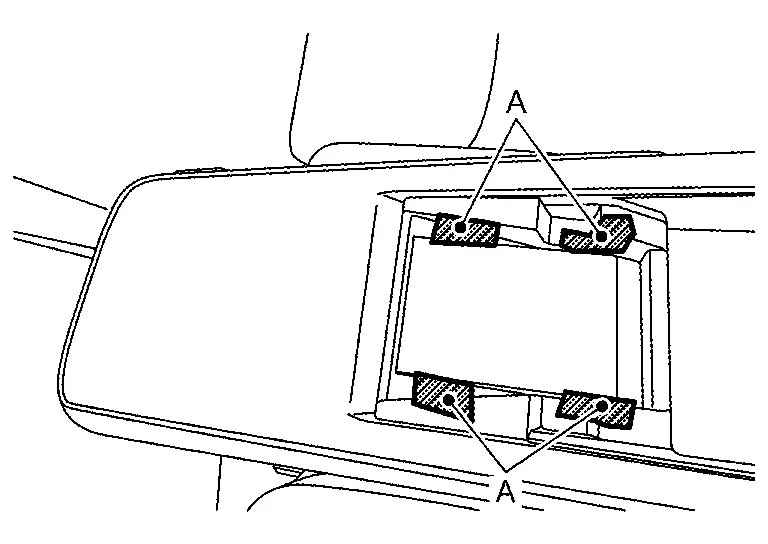
Apply protective tape (A) on the part to protect it from damage.
Press the wireless charger unit fixing pawls using a remover tool (A) to remove the wireless charger unit .
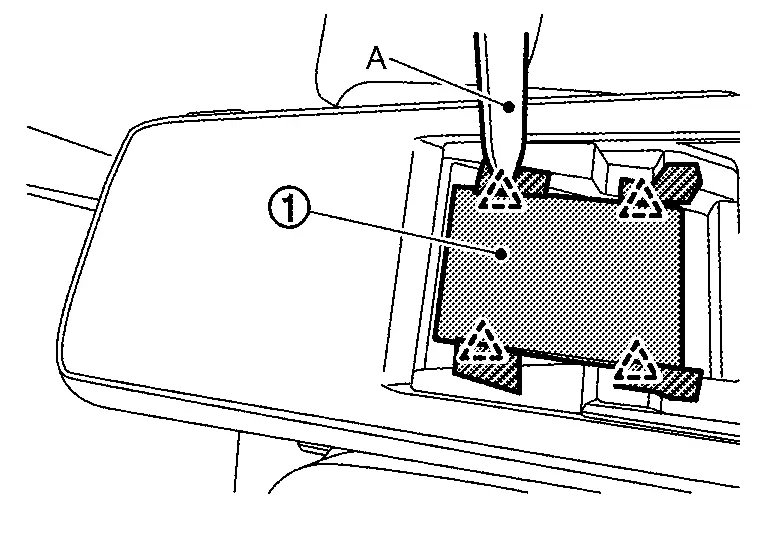
 |
: Pawl |
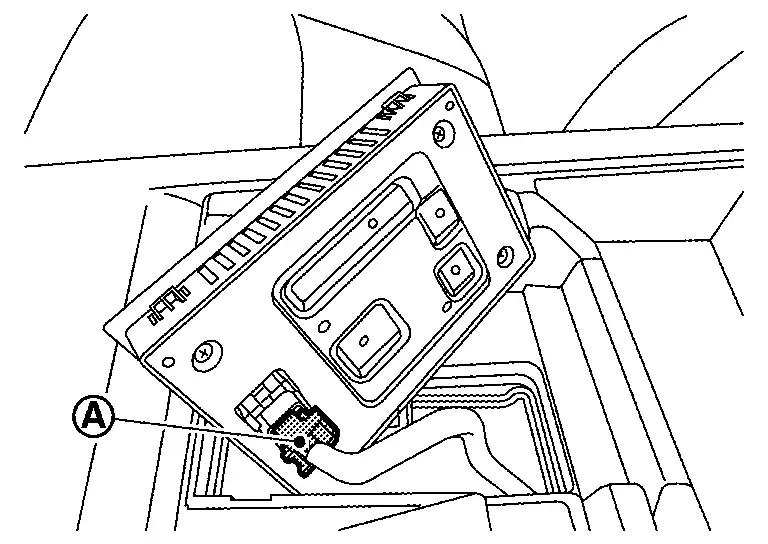
Disconnect harness connector  , and then remove the wireless charger unit.
INSTALLATION
Note the following, and install in the reverse order of removal.
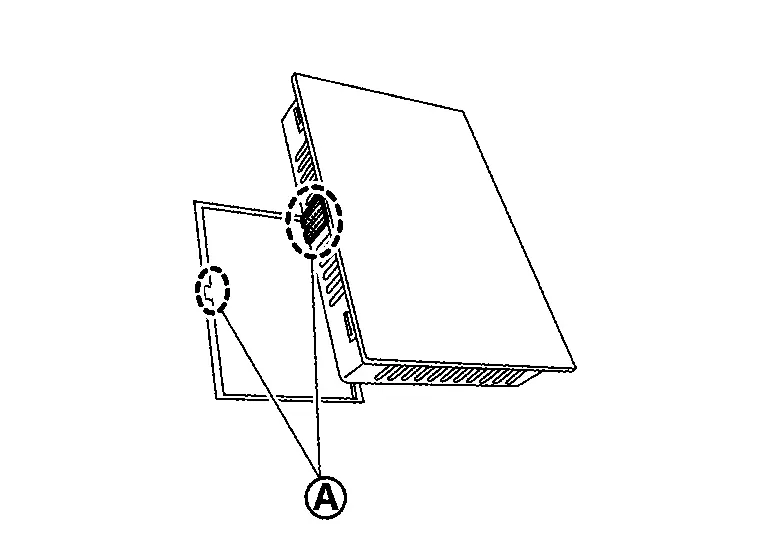
|
: Cut out |
Wireless Charger Indicator Nissan Ariya
Removal and Installation
REMOVAL
Remove Centre console finisher. Refer to Removal & Installation.
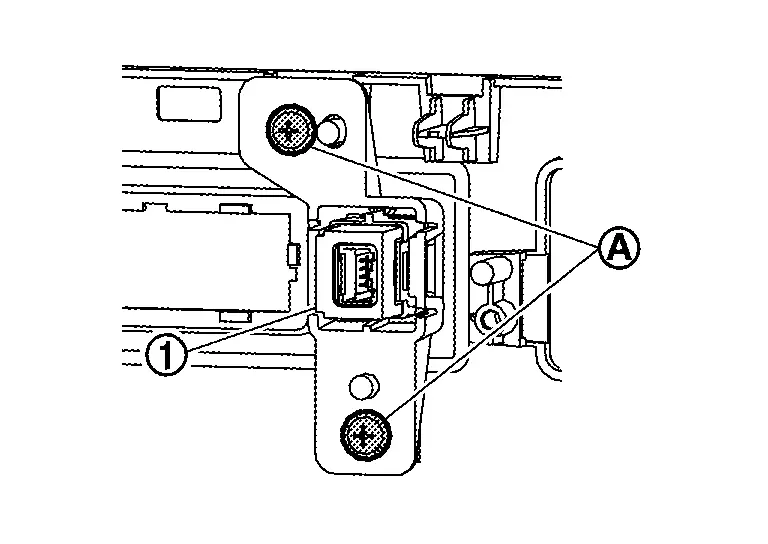
Remove the wireless charger indicator mounting screws from the back side to remove the wireless charger indicator  .
Disengage the fixing pawls and remove the wireless charger indicator from the bracket  .
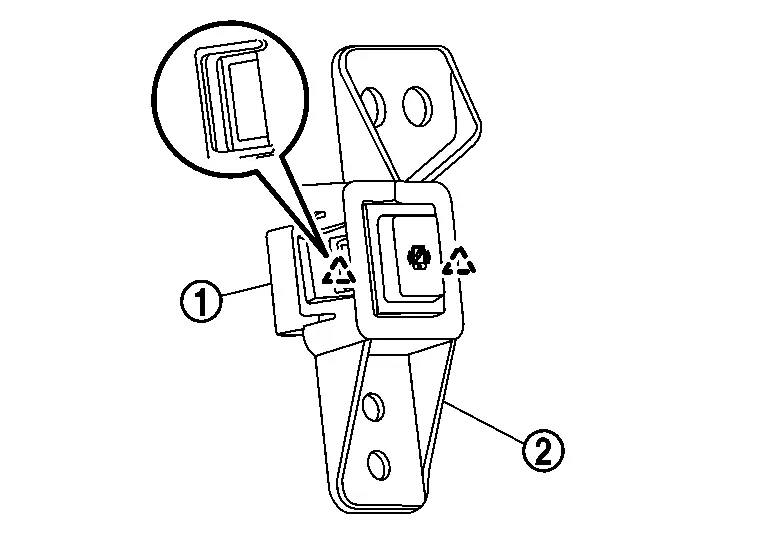
|
: Pawl |
INSTALLATION
Install in the reverse order of removal.
Was this page helpful?