Side Airbag Sensor (for Front Door)
- Removal
- Installation
Removal
REMOVAL
The necessary procedures (adjustment, calibration, initialization or registration) that must be performed after parts are removed and installed, or replaced during side airbag pressure sensor removal/installation are shown below.
HINT:
When the cable is disconnected / reconnected to the auxiliary battery terminal, systems temporarily stop operating. However, each system has a function that completes learning the first time the system is used.
Learning completes when Toyota Prius vehicle is drivenEffect/Inoperative Function when Necessary Procedure not Performed | Necessary Procedure | Link |
|---|---|---|
Front Camera System |
Drive the Toyota Prius vehicle straight ahead at 35 km/h or more for 5 seconds or more. |
 |
Effect/Inoperative Function when Necessary Procedure not Performed | Necessary Procedure | Link |
|---|---|---|
| *1: w/o Power Back Door System *2: w/ Power Back Door System |
||
Power Door Lock Control System*1
|
Perform door unlock operation with door control switch or electrical key transmitter sub-assembly switch. |
 |
Power Back Door System*2 |
Reset back door close position |
 |
Air Conditioning System |
for HEV Model:
|
- |
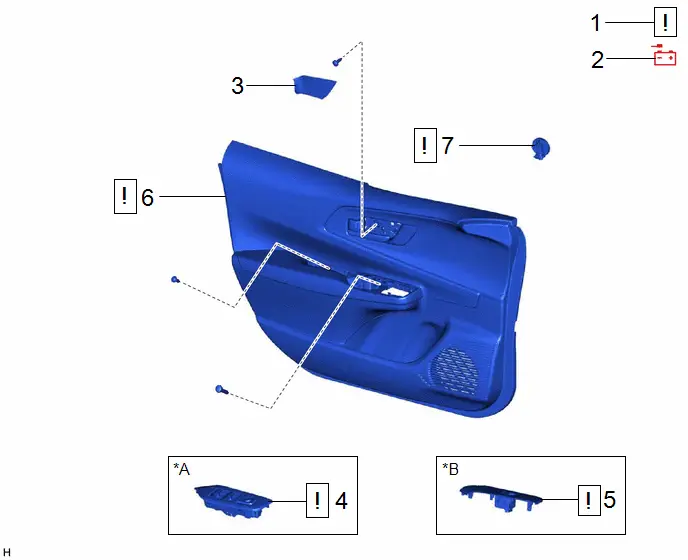
Procedure | Part Name Code |  |  |  |
|
|---|---|---|---|---|---|
1 |
PRECAUTION |
- |
 |
- |
- |
2 |
DISCONNECT CABLE FROM NEGATIVE AUXILIARY BATTERY TERMINAL |
- |
 |
- |
- |
3 |
FRONT DOOR TRIM UPPER COVER |
67782B |
- |
- |
- |
4 |
MULTIPLEX NETWORK MASTER SWITCH ASSEMBLY WITH FRONT DOOR UPPER ARMREST BASE PANEL |
- |
 |
- |
- |
5 |
POWER WINDOW REGULATOR SWITCH ASSEMBLY WITH FRONT DOOR UPPER ARMREST BASE PANEL |
- |
 |
- |
- |
6 |
FRONT DOOR TRIM BOARD SUB-ASSEMBLY |
67602 |
 |
- |
- |
7 |
SIDE AIRBAG PRESSURE SENSOR |
8983AA |
 |
- |
- |
*A |
for Driver Side |
*B |
for Front Passenger Side |
PROCEDURE
1. PRECAUTION
 |
CAUTION: Be sure to read Precaution thoroughly before servicing. 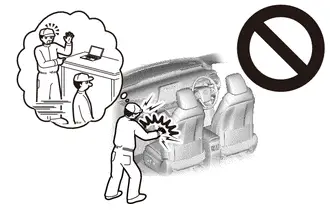 Click here NOTICE: After the ignition switch is turned off, there may be a waiting time before disconnecting the negative (-) auxiliary battery terminal. Click here |


2. DISCONNECT CABLE FROM NEGATIVE AUXILIARY BATTERY TERMINAL
 |
CAUTION: Wait at least 60 seconds after disconnecting the cable from the negative (-) auxiliary battery terminal to disable the SRS system. 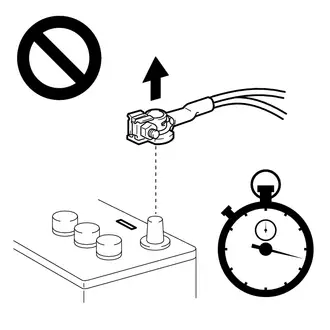 |
- for M20A-FXS:
Click here

- for 2ZR-FXE:
Click here

3. REMOVE FRONT DOOR TRIM UPPER COVER
Click here 
4. REMOVE MULTIPLEX NETWORK MASTER SWITCH ASSEMBLY WITH FRONT DOOR UPPER ARMREST BASE PANEL (for Driver Side)
 |
Click here |

5. REMOVE POWER WINDOW REGULATOR SWITCH ASSEMBLY WITH FRONT DOOR UPPER ARMREST BASE PANEL (for Front Passenger Side)
 |
Click here |

6. REMOVE FRONT DOOR TRIM BOARD SUB-ASSEMBLY
 |
Click here |

7. REMOVE SIDE AIRBAG PRESSURE SENSOR
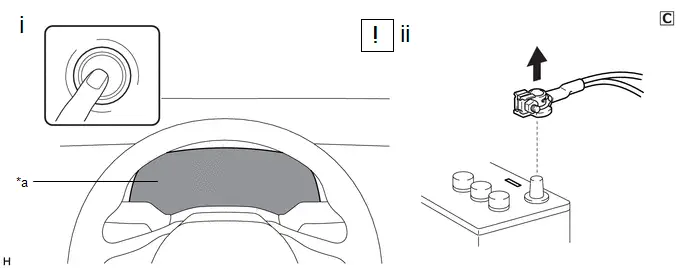
*a |
Illumination off |
- |
- |
(1) Check that the ignition switch is off.
(2) Check that the cable is disconnected from the negative (-) auxiliary battery terminal.
CAUTION:
Wait at least 60 seconds after disconnecting the cable from the negative (-) auxiliary battery terminal to disable the SRS system.
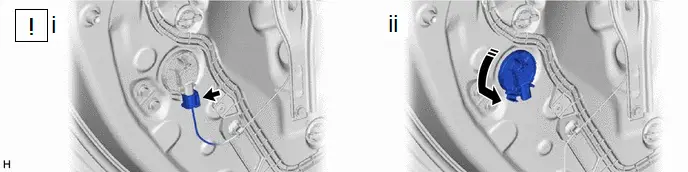
 |
Remove in this Direction |
- |
- |
(1) Disconnect the connector from the side airbag pressure sensor.
NOTICE:
When disconnecting any airbag connector, take care not to damage the airbag wire harness.
HINT:
Refer to How to Connect or Disconnect Airbag Connector.
Click here 
(2) Remove the side airbag pressure sensor from the front door panel as shown in the illustration.
Installation
INSTALLATION
COMPONENTS (INSTALLATION)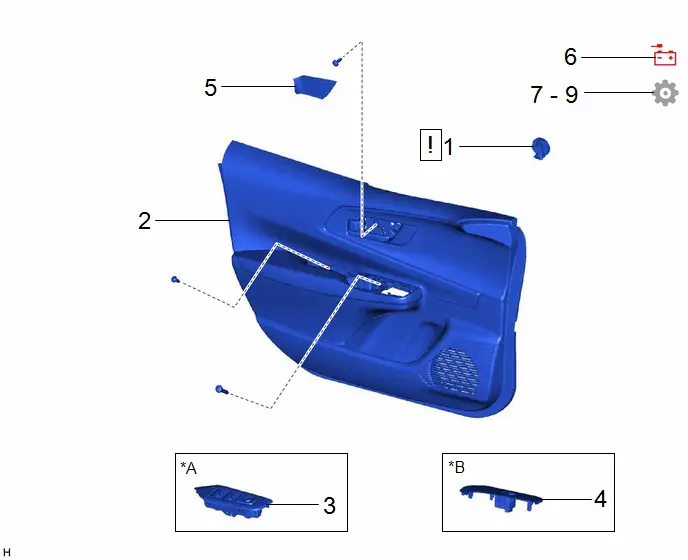
Procedure | Part Name Code |  |  |  |
|
|---|---|---|---|---|---|
1 |
SIDE AIRBAG PRESSURE SENSOR |
8983AA |
 |
- |
- |
2 |
FRONT DOOR TRIM BOARD SUB-ASSEMBLY |
67602 |
- |
- |
- |
3 |
MULTIPLEX NETWORK MASTER SWITCH ASSEMBLY WITH FRONT DOOR UPPER ARMREST BASE PANEL |
- |
- |
- |
- |
4 |
POWER WINDOW REGULATOR SWITCH ASSEMBLY WITH FRONT DOOR UPPER ARMREST BASE PANEL |
- |
- |
- |
- |
5 |
FRONT DOOR TRIM UPPER COVER |
67782B |
- |
- |
- |
6 |
CONNECT CABLE TO NEGATIVE AUXILIARY BATTERY TERMINAL |
- |
 |
- |
- |
7 |
INSPECT SRS WARNING LIGHT |
- |
- |
- |
 |
8 |
INITIALIZATION AFTER RECONNECTING AUXILIARY BATTERY TERMINAL |
- |
- |
- |
 |
9 |
INSPECT POWER WINDOW OPERATION |
- |
- |
- |
 |
*A |
for Driver Side |
*B |
for Front Passenger Side |
PROCEDURE
1. INSTALL SIDE AIRBAG PRESSURE SENSOR
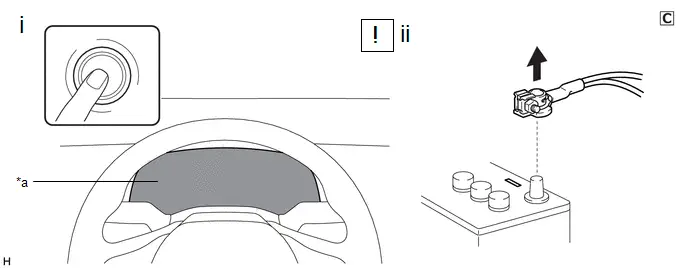
*a |
Illumination off |
- |
- |
(1) Check that the ignition switch is off.
(2) Check that the cable is disconnected from the negative (-) auxiliary battery terminal.
CAUTION:
Wait at least 60 seconds after disconnecting the cable from the negative (-) auxiliary battery terminal to disable the SRS system.
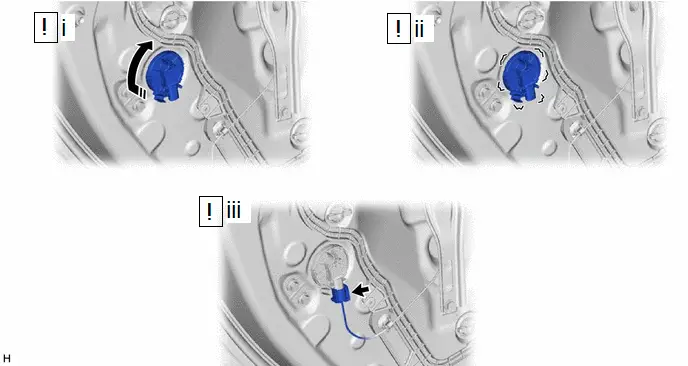
 |
Install in this Direction |
- |
- |
(1) Install the side airbag pressure sensor to the front door panel as shown in the illustration.
NOTICE:
- If the side airbag pressure sensor has been dropped, or there are any cracks, dents or other defects in the case or connector, replace it with a new one.
- When installing the side airbag pressure sensor, make sure that the SRS wiring does not interfere with or is not pinched between other parts.
(2) Check that there is no looseness in the installed parts of the side airbag pressure sensor.
(3) Connect the connector to the side airbag pressure sensor.
NOTICE:
When connecting any airbag connector, take care not to damage the airbag wire harness.
HINT:
Refer to How to Connect or Disconnect Airbag Connector.
Click here 
2. INSTALL FRONT DOOR TRIM BOARD SUB-ASSEMBLY
3. INSTALL MULTIPLEX NETWORK MASTER SWITCH ASSEMBLY WITH FRONT DOOR UPPER ARMREST BASE PANEL (for Driver Side)
4. INSTALL POWER WINDOW REGULATOR SWITCH ASSEMBLY WITH FRONT DOOR UPPER ARMREST BASE PANEL (for Front Passenger Side)
5. INSTALL FRONT DOOR TRIM UPPER COVER
6. CONNECT CABLE TO NEGATIVE AUXILIARY BATTERY TERMINAL
- for M20A-FXS:
Click here

- for 2ZR-FXE:
Click here

7. INSPECT SRS WARNING LIGHT
Click here 
8. INITIALIZATION AFTER RECONNECTING AUXILIARY BATTERY TERMINAL
HINT:
When disconnecting and reconnecting the auxiliary battery, there is an automatic learning function that completes learning when the respective system is used.
Click here 

9. INSPECT POWER WINDOW OPERATION
Click here 