Diagnosis and repair workflow
Work Flow
OVERALL SEQUENCE
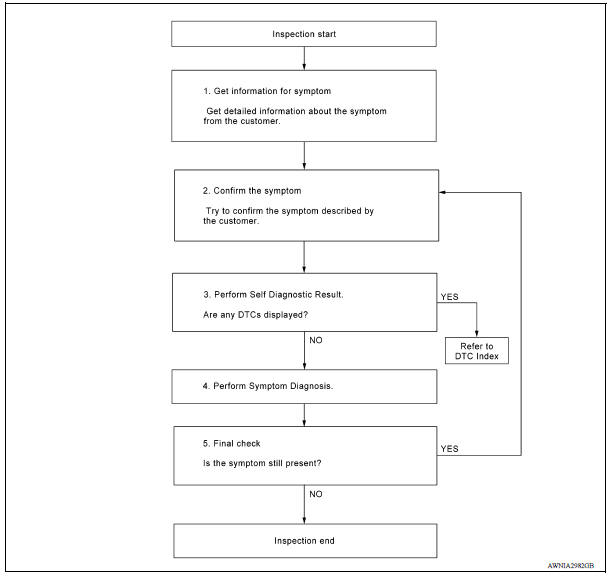
DETAILED FLOW
1.GET INFORMATION FOR SYMPTOM
Get detailed information from the customer about the symptom (the condition and the environment when the incident/malfunction occurred).
>> GO TO 2.
2.CONFIRM THE SYMPTOM
Try to confirm the symptom described by the customer. Verify relation between the symptom and the condition when the symptom is detected.
>> GO TO 3.
3.PERFORM SELF DIAGNOSTIC RESULT
1. Turn ignition switch ON and wait for 2 seconds or more.
2. Perform Self Diagnostic Result for MULTI AV.
Are any DTCs displayed?
YES >> Refer to AV "DTC Index".
NO >> GO TO 4.
4.PERFORM SYMPTOM DIAGNOSIS
Refer to AV "Symptom Table".
>> GO TO 5
5.FINAL CHECK
Refer to symptom described by the customer in step 1.
Is the symptom still present?
YES >> GO TO 2
NO >> Inspection End.