Cargo Area Light Removal, Installation, and Test
In this manual: Cargo Area Light Removal, Installation, and Test
6steps
~36min
2/5difficulty
Done 0 of 6
Removal/Installation
1. Cargo Area Light - Remove
Cargo Area Light: 8W
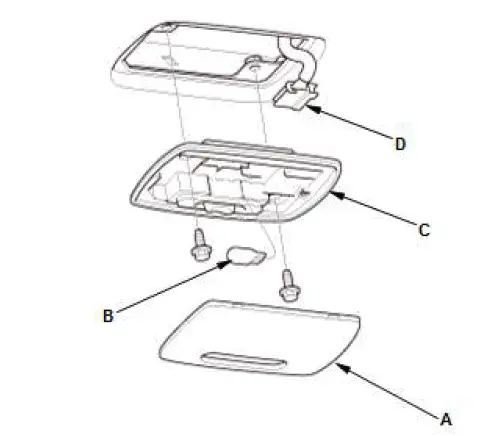
- Carefully pry off the lens (A).
- Remove the bulb (B).
- Remove the cargo area light housing (C).
- Disconnect the connector (D).
2. All Removed Parts - Install
- Install the parts in the reverse order of removal.
Test
1. Cargo Area Light - Test
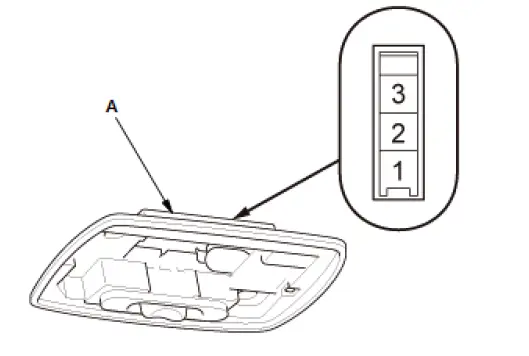

NOTE: When doing the cargo area light test, make sure to install the bulb correctly.
- Check for continuity between the terminals in each switch position according to the table.
- If the continuity is not as specified, replace the bulb(s) or the rear individual map light (A).
Was this page helpful?