Second Row Seat One-Touch Access Switch Removal and Installation
In this manual: Second Row Seat One-Touch Access Switch Removal and Installation
2steps
~12min
1/5difficulty
Done 0 of 2
Removal/Installation
Seat Cushion Side
1. Second Row Seat Recline Cover - Remove
NOTE: If you are removing the second row seat recline cover, you do not need to remove the second row seat.
2. One-Touch Access Switch - Remove

3. All Removed Parts - Install
- Install the parts in the reverse order of removal.
Seat-Back Side
1. Second Row Seat - Remove
2. Second Row Seat-Back Cover - Remove
3. One-Touch Access Switch - Remove

- Remove the cover (A).
NOTE: The left second row seat-back side is as shown; the right second row seat-back side is similar.
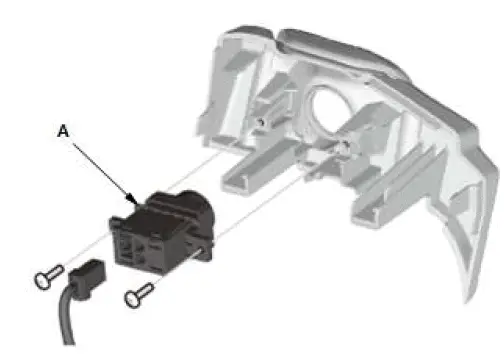
- Disconnect the connector.
- Remove the one-touch access switch (A).
4. All Removed Parts - Install
- Install the parts in the reverse order of removal.
Was this page helpful?