Grab Handle Removal and Installation
In this manual: Grab Handle Removal and Installation
10steps
~60min
3/5difficulty
Done 0 of 10
Removal
1. Grab Handle - Remove
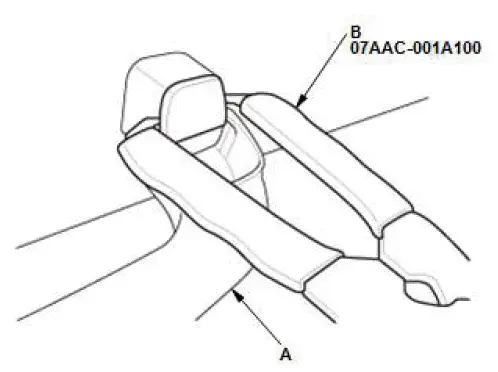
- Lower the grab handle (A).
- Insert the tips of the push pin/grab rail cap pliers (B) into the notch.

- Gently squeeze the handles of the push pin/grab rail cap pliers (A), and pull the cap (B) straight out.
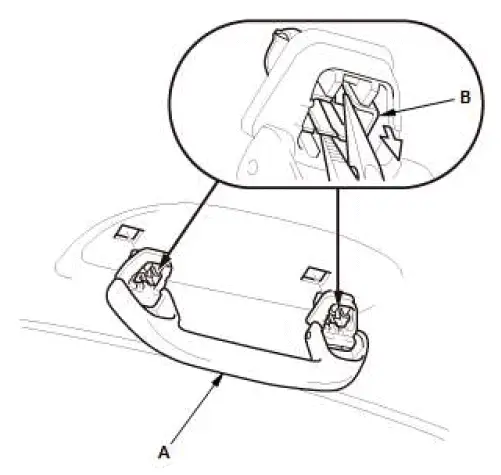
- Lower the grab handle (A).
- Squeeze the clips (B) with pliers, and then remove the grab handle.
Installation
1. Grab Handle - Check
- If the side curtain airbag has not deployed, inspect the grab handle (A) for damage. A damaged grab handle may cause the side curtain airbag to deploy improperly, possibly causing injury. Replace the grab handle if it has any of the following of damage:
- Any cracks or breakage in the grab handle
- Any cracks or stress-whitening in the caps (B)
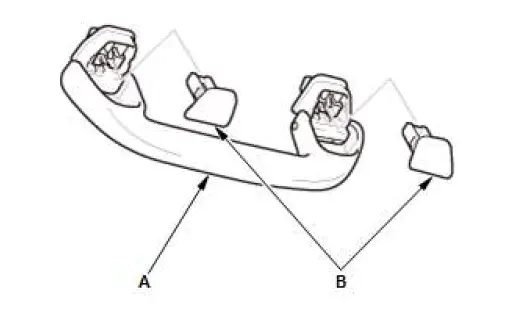
2. Grab Handle - Install
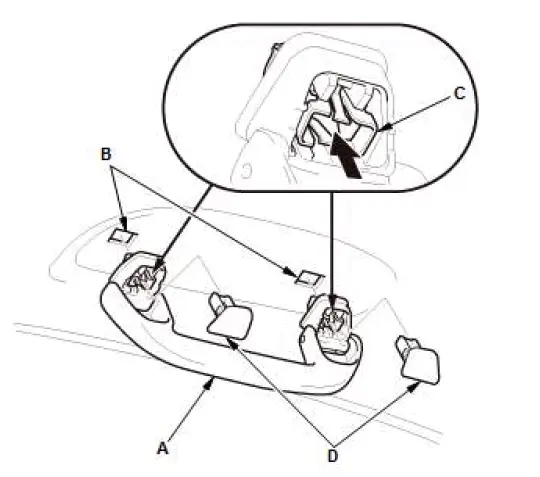
- Position the grab handle (A) on the grab handle bracket (B).
- Push on the grab handle until the clips (C) snap into place securely.
- Install the caps (D) fully into the clips.
Special Tool Required
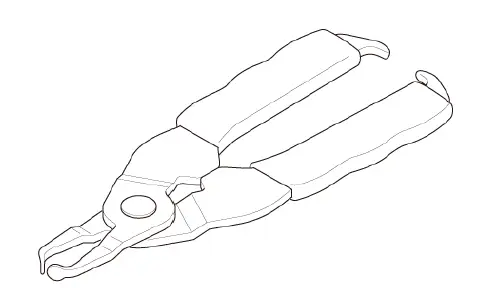
- Push Pin/Grab Rail Cap Pliers 07AAC-001A100
Hazard Warning Switch Removal and Installation
Removal/Installation
1. Dashboard Center Panel - Remove
2. Hazard Warning Switch - Remove

3. All Removed Parts - Install
- Install the parts in the reverse order of removal.
HD Traffic Antenna Amplifier Removal and Installation
Removal/Installation
SRS components are located in this area. Review the SRS component locations and the precautions and procedures before doing repairs or service.
1. Left Side C Pillar Trim - Remove
2. HD Traffic Antenna Amplifier - Remove

- Disconnect the connectors (A).
- Remove the HD traffic antenna amplifier (B).
3. All Removed Parts - Install
- Install the parts in the reverse order of removal.
Was this page helpful?